

Less waste, less prep, full traceability
KRON replaces manual cut planning. It nests parts for minimum waste, keeps every usable remnant in play, and tracks material from goods-in to finished part.
Ranges, not promises — what you actually recover depends on your profile mix, order book and current process. The estimator below models it from your own numbers and shows every assumption it makes, and one real run is broken down in full.
Put a number on the waste
Set the four numbers to match your shop. The estimate scales off the waste you have today, converts prep hours into money, and nets off what KRON costs.
How this is calculated
At these numbers you lose $57,600 a year to unusable offcut, and KRON hands back 672 h a year — about 14 h a week — of the time that goes on cut planning and paperwork. Pro is the largest plan this saving covers many times over; seats, warehouses and imports decide the actual fit, so compare the plans.
Material: annual spend × your waste percentage gives what you currently lose to unusable offcut. Tighter nesting and remnant reuse are assumed to recover 25–55% of that, with 40% as the headline figure.
Time: 70% of manual cut planning and paperwork is assumed to be removed by CAD import and automatically generated drawings and cutting lists, over 48 working weeks a year.
This is an estimate, not a guarantee. Actual results depend on your profile mix, order book, stock bar lengths and current process. Prices shown are converted at parity between USD and EUR for illustration; you are billed in the currency shown at checkout.
Four pillars, one cutting workflow
Cutting optimisation
Nests parts onto stock bars for minimum waste, accounting for cut angles, kerf, splices and the zones where a splice is forbidden.
02Warehouse management
Batch accounting, item codes, reservations, transfers and write-offs — you know what is on every rack and what is spoken for.
03Document workflow
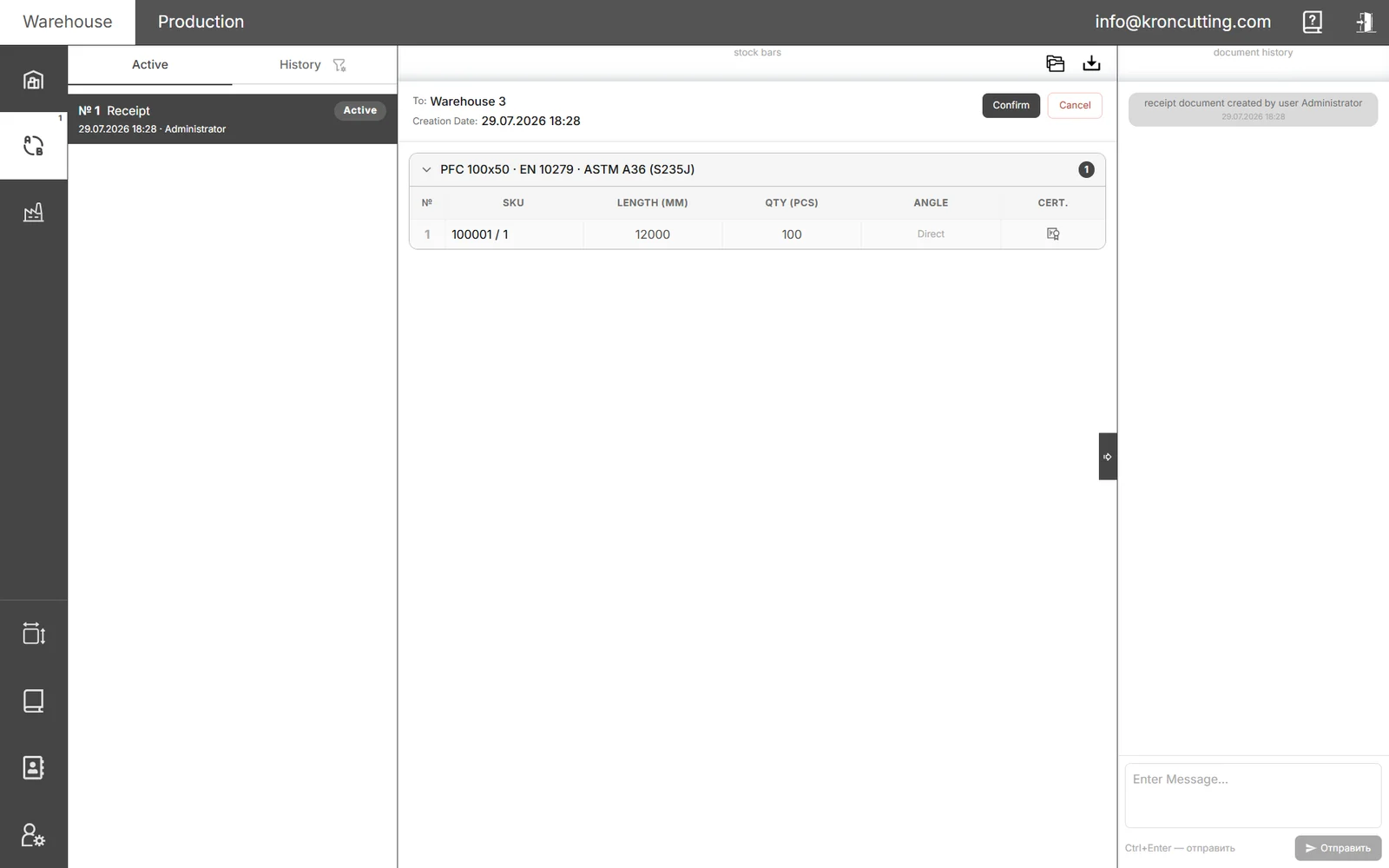
Receipt, transfer, write-off, remnant receipt, disposal, supply and procurement requests — generated, numbered and tracked.
04Production control
Reserve stock to a work order, log what has been cut shift by shift, and feed usable remnants back into the next job.
The optimiser, in your browser
Import a bar list, set your splice and cut-angle rules, and read the material yield straight off the plan.
Cutting plan & nesting
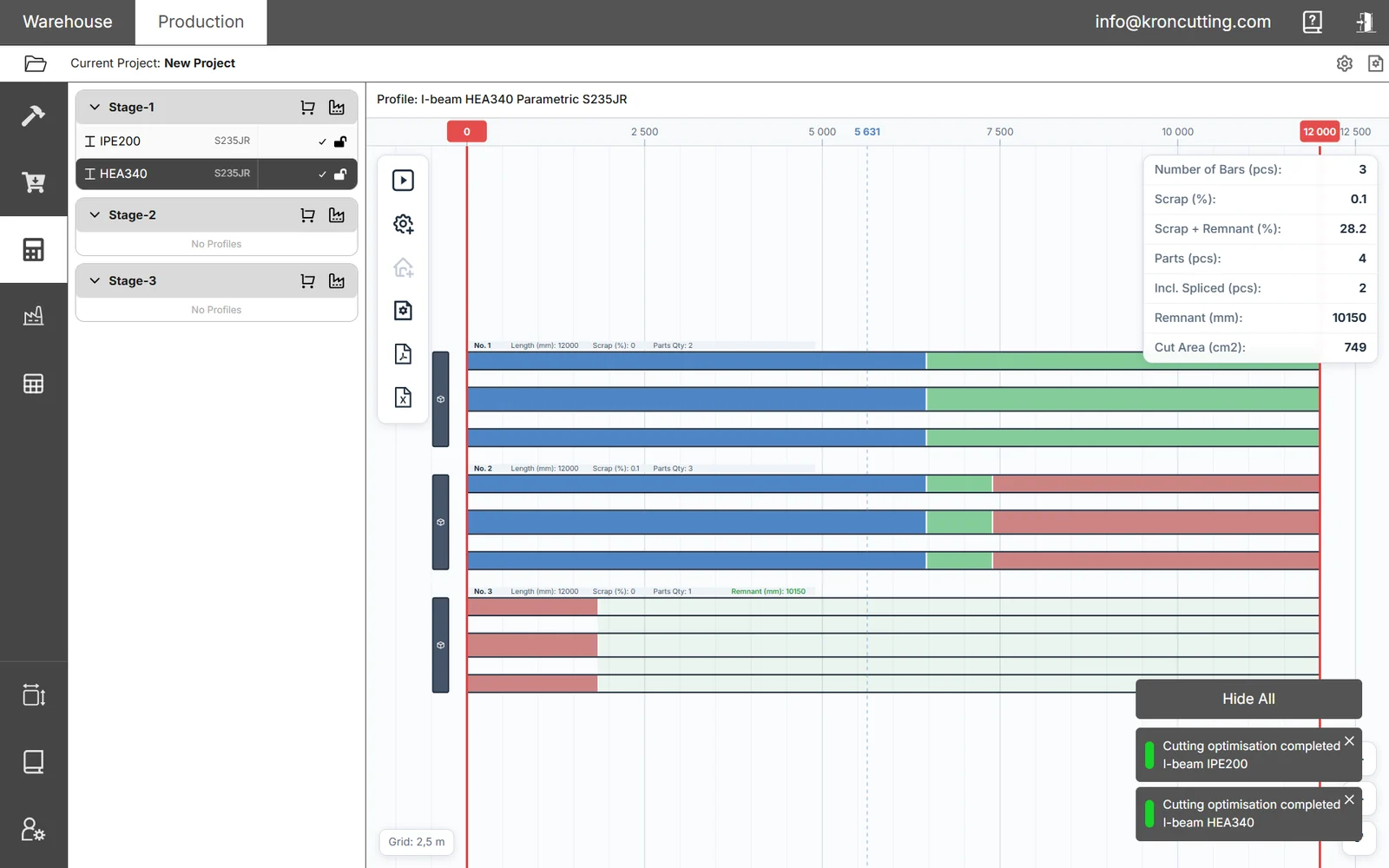
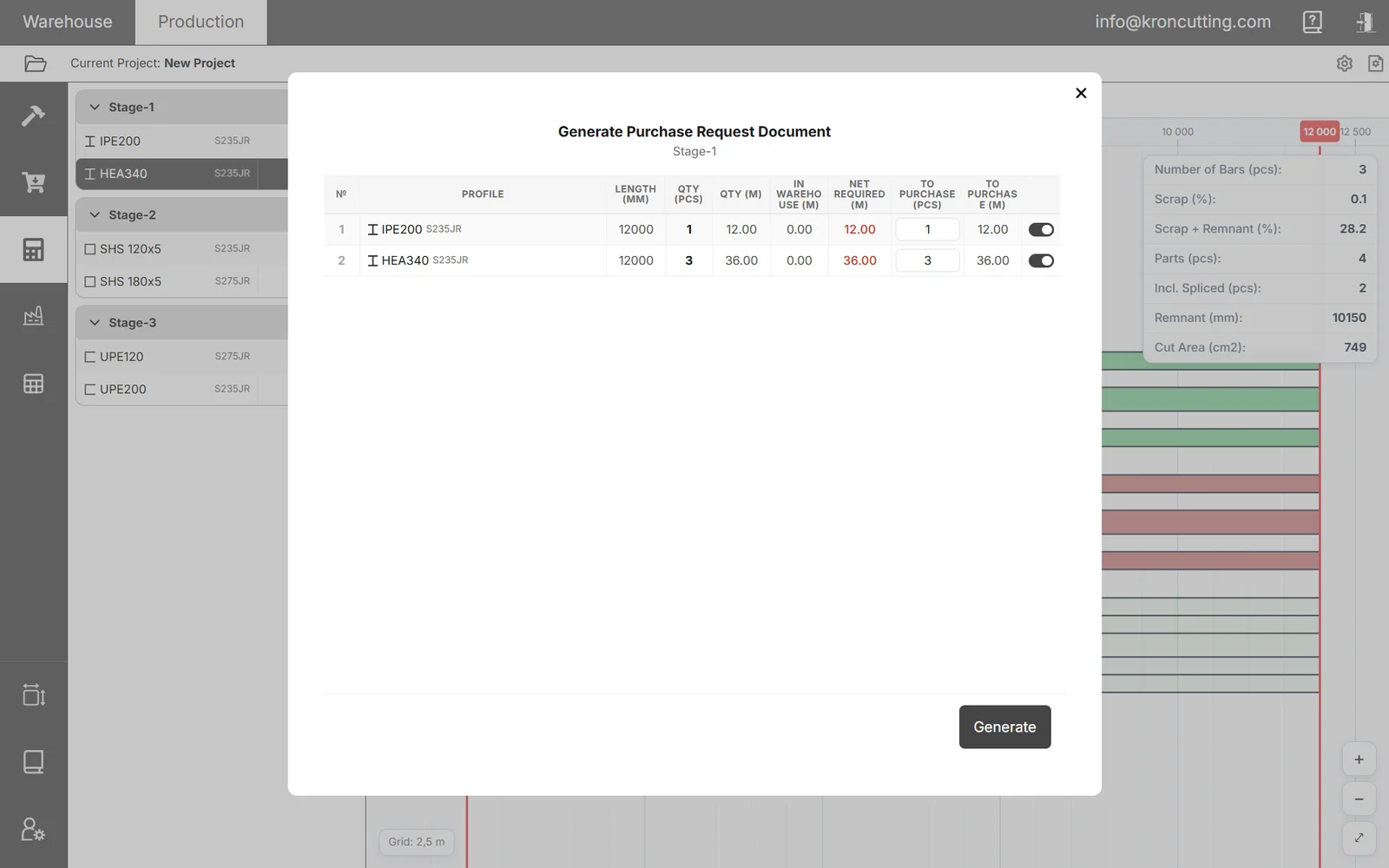
Parts nested on 12 m HEA340 bars. Each colour is one part, and the pieces of a spliced part share it — blue, green and red here are all parts. The remnant is the unfilled tail of the last bar, and the panel reports 3 bars, 0.1% scrap and 10,150 mm of it.
From bar list to finished part
Import
Pull parts from Tekla as DSTV (NC1), or STEP/IGS solids, load stock from Excel, or enter them by hand. Profiles and materials come across with the geometry.
Optimise
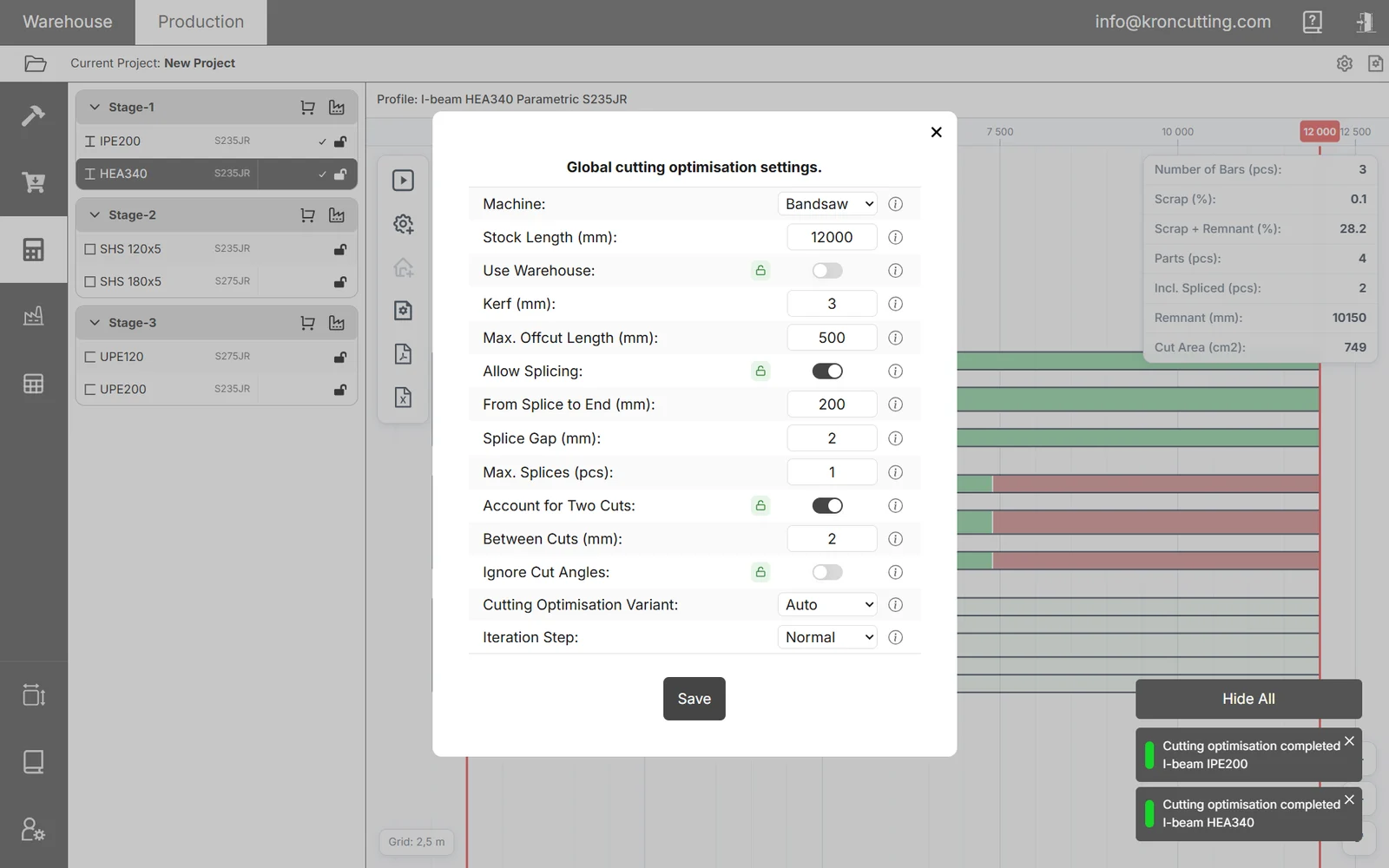
Set kerf, splicing rules and cut-angle handling, run the optimiser, compare variants — then lock the result so it cannot drift.
Produce & track
Generate drawings and cutting lists, reserve the bars, log production against the document, and register the remnants that come back.
The difference on the floor
- Offcuts too short to find again pile up as scrap
- Geometry re-keyed from Tekla by hand, with the errors that brings
- No live view of what is actually on the rack
- Saw drawings drawn up by hand, for hours
- Remnants lose their paperwork, then get re-bought
- Tightest nest the settings allow; usable offcuts kept as tracked remnants
- DSTV import — geometry, profile and material read automatically
- Live stock with reservations, transfers and batch history
- Drawings and cutting lists generated from the plan
- Remnants tagged, keep their mill certificates, and return on the next job
DSTV import, the warehouse module and remnant tracking start at Pro; part splicing at Small Workshop. The comparison matrix says which tier carries what.
Made for the way shops actually cut
- Cut-angle awareStraight, mitre and complex end cuts are packed as tightly as the geometry allows. Angles can be entered by leg or by degrees.
- Tekla-readyNC files come in with no manual re-entry. Splice restrictions can be derived from holes, abutments and cut-outs in the file.
- Nothing usable wastedRemnants get a unique tag, inherit their parent bar's mill certificates, and are offered back automatically on later jobs.
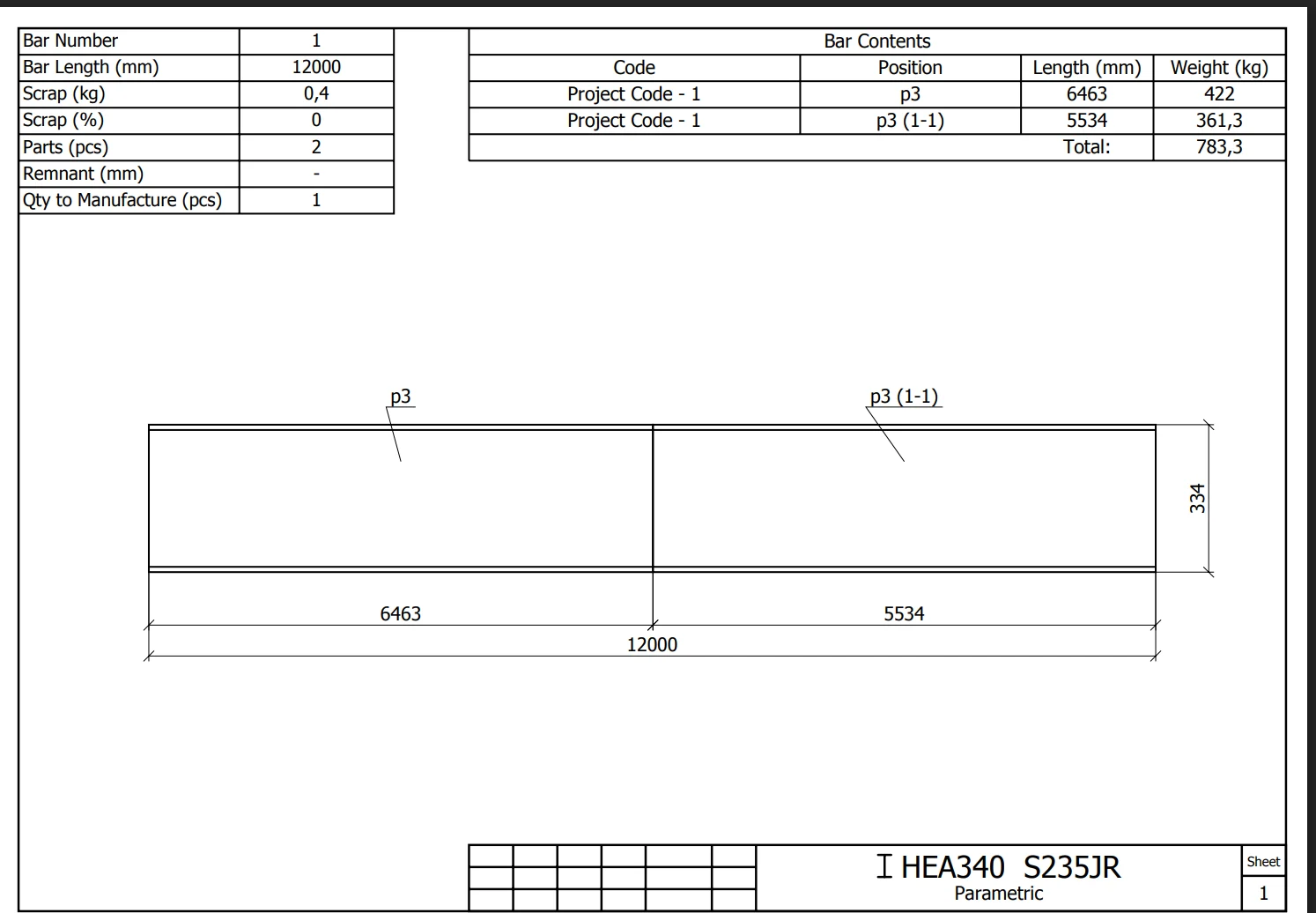
- Operator-ready outputCutting drawings and cutting lists, with fine-grained control over what appears on them, exported to PDF and Excel.
One tool, every role on the job
Steel fabricators
Beams, tubes, channels and angles cut to a plan that respects the way your saw actually works.
Warehouse managers
Stock, batches, reservations and transfers across every warehouse and production area.
Process engineers
Cutting lists and cutting drawings generated from the plan, not redrawn by hand.
Procurement
Procurement requests built from the cutting result — what you need, less what you already hold.
Read before you run the first job
Getting started
Standards, materials and profiles configured once, before anyone adds a part.
ReadCutting parameters, in full
Every setting the optimiser exposes, what it does, and how it changes the result.
ReadExporting DSTV from Tekla
The export settings that make automatic splice restrictions work.
ReadStart free. Scale with the shop
Try the optimiser on real jobs.
One saw, real orders.
Warehouse and team for a working shop.
Scale for a mid-size fabricator.
In USD, excluding tax. Both billing cycles cost the same per month while the promotion runs — see both on the pricing page.
One system for your metal-cutting floor
It runs in your browser — nothing to install on shop machines. Accounts open shortly; tell us about your shop and we will come to you first.